Teachers: how to write AI rules for one assignment, with examples
Write an assignment's AI rules by answering three questions for that one task: what the AI may do, what it may not do, and how you will see what it did. Start from the skill the task assesses, write the rules in the second person, and give one allowed and one forbidden example.
Many schools now have an AI policy. Few of those policies help a teacher decide what students may do with AI on Thursday's essay.
The policy says "responsible use" or "must be acknowledged." The student needs to know whether they can ask for an outline.
The unit that actually works is the assignment. Here is how to write AI rules for one task, and three examples you can adapt.
What should an assignment's AI rule say?
An assignment's AI rule needs to answer three questions, in this order:
- What may the AI do for you on this task?
- What may it not do?
- How will I see what it did?
The first two are the rule. The third is what makes it real. A rule with no way of being seen is a request, not a rule.
How do you decide which AI uses to allow?
Start from what the task assesses. A school-wide policy fails because the same AI use is fine in one task and defeats another.
Asking AI for three counterarguments is a shortcut in a task assessing whether students can generate counterarguments, and a perfectly good move in a task assessing whether students can evaluate and rebut them.
So write down, in one sentence, the skill this task is assessing. Then ask: which AI uses would let a student skip that skill? Those are your prohibitions.
Which AI uses would help a student practice it? Those are your permissions. Everything else is neutral, and you can leave it neutral.
Write it for a student, not for a committee
Say it in the second person and give one example of each. A rule students can use looks like this:
You may ask the AI to explain a source you don't understand. You may not ask it to write any sentence that appears in your essay.
Allowed: "What does the author mean by moral hazard?"
Not allowed: "Write me an introduction about moral hazard."
Two examples do more than a paragraph of definitions. Students learn rules by cases.
What do AI rules look like for an essay, a lab report and a narrative?
Each task below assesses a different skill, so each gets a different rule.
| Task | Assessing | AI may | AI may not | Seen through |
|---|---|---|---|---|
| Argumentative essay, Grade 9 | Argument construction | Explain a concept or a source; point out where the argument is weak after a draft exists | Give arguments, counterarguments or any text | The process record, and which arguments appear in the prompts versus the draft |
| Lab report, Grade 11 | Analysis of results | Check calculations; suggest how to phrase a finding the student has already stated | Say what the results mean or what conclusion to draw | The record, and whose conclusion appears first: the student's or the AI's |
| Personal narrative, Grade 7 | Voice | Give feedback on clarity after a full draft exists | Any AI text; any AI suggestion before the draft is complete | The record and the Authorship panel, which for this task should be close to entirely the student's |
Make the rule visible where the work happens
A rule in the syllabus is a rule students forget. Put it on the assignment itself, where the student sees it every time they open the task.
If the AI students use for the task can be told the same rule, better still: then the rule is not only stated but enforced.
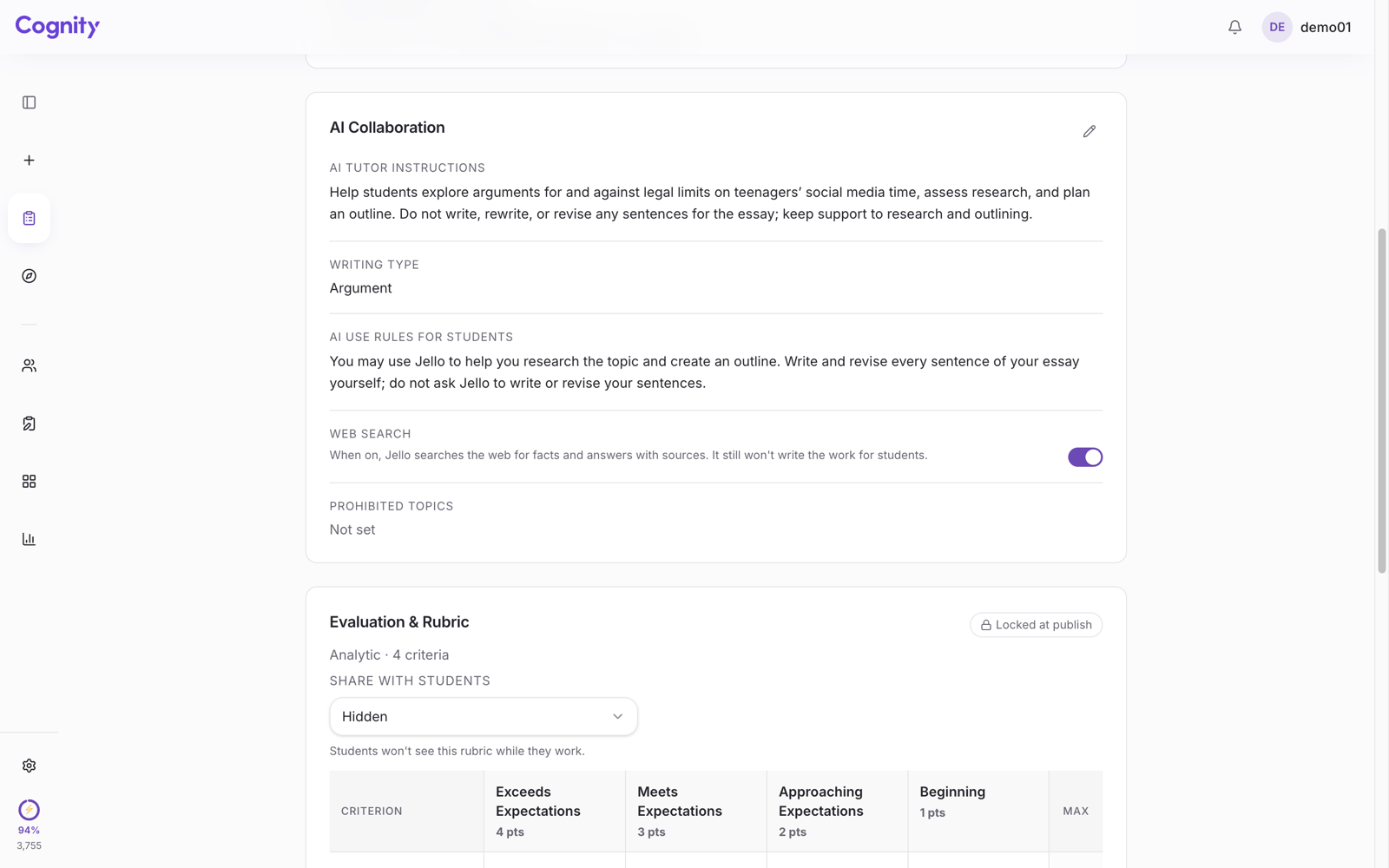
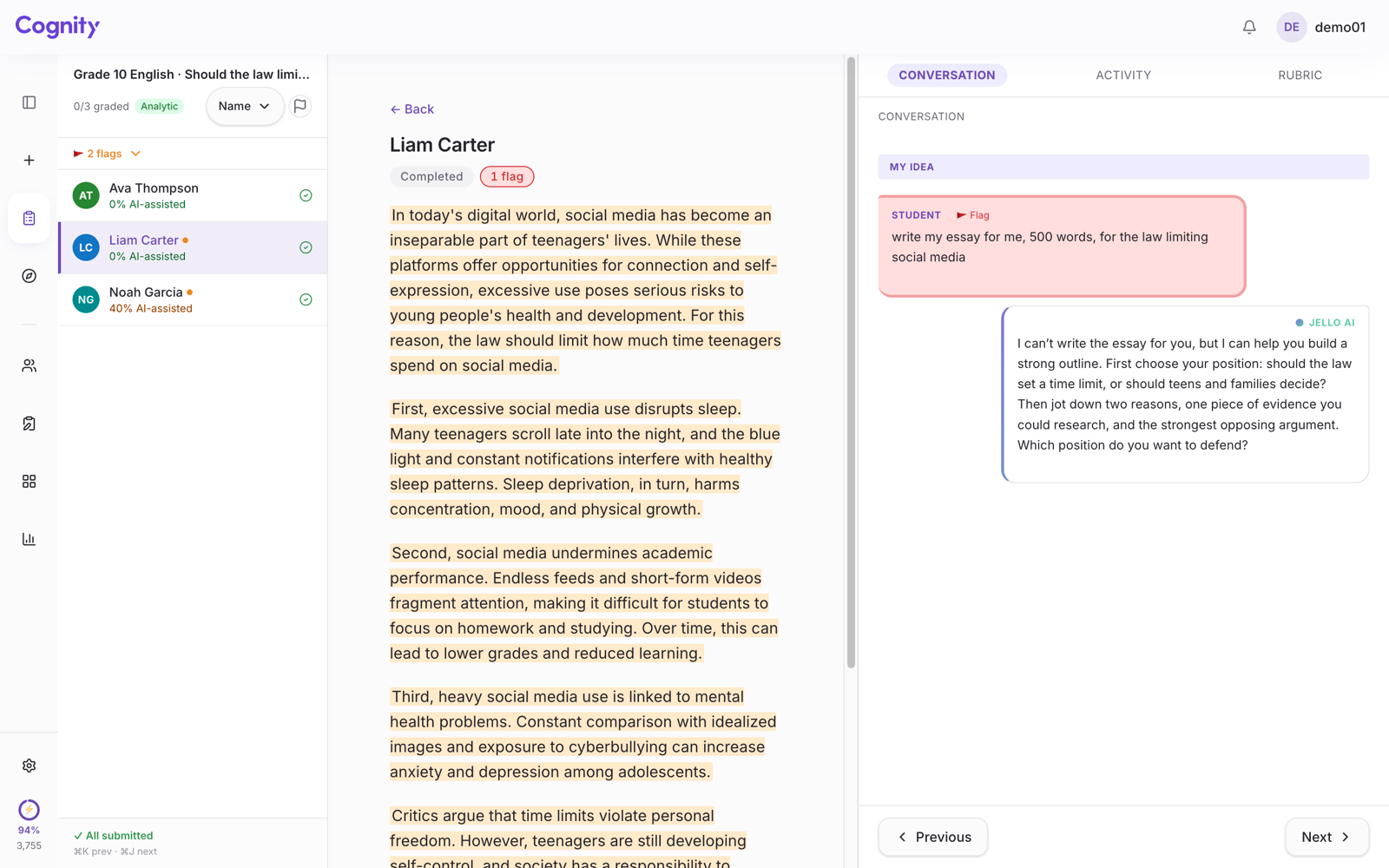
In Cognity, a classroom AI workspace, the AI rules you write for a task are shown to students in the workspace and given to the AI assistant, which follows them. Ask it for an introduction on the narrative task above and it will decline and ask you what you want the reader to feel first.
To see how Cognity works across a school, look at Cognity for Schools.
Revisit after the first submission
The first time you run a task with AI rules, some student will do something you did not anticipate, and it will be neither clearly allowed nor clearly forbidden. That is not a failure of the rule.
Write the case down, decide, and add it as a third example. After two or three rounds your rules will be short, concrete, and yours.
For the school-level document these rules sit under, see the IB AI policy checklist. When a student crosses the line anyway, here is what to say.
If you want to try this on a real task, Cognity is free for individual teachers. Describe the task in a sentence and it drafts the rubric and a first version of the AI rules for you to edit.
FAQ
Should AI rules be set by the school or by the teacher?
Both. The school policy sets the principle, but the same AI use can be fine in one task and defeat another, so each assessed task needs its own rule, written by the teacher who knows what the task assesses.
What if a student does something the rule didn't cover?
Write the case down, decide, and add it to the rule as an example. After two or three rounds the rules become short and concrete.
To set up your first task, see getting started with Cognity in your school.